Quick start
Excavator chapter of the Ditch Assist app manual. The same text is in the app under Manual.
In the app Manual › Excavator › Quick start
- Tap the IQ Excavator card on the Home screen. Wizard opens.
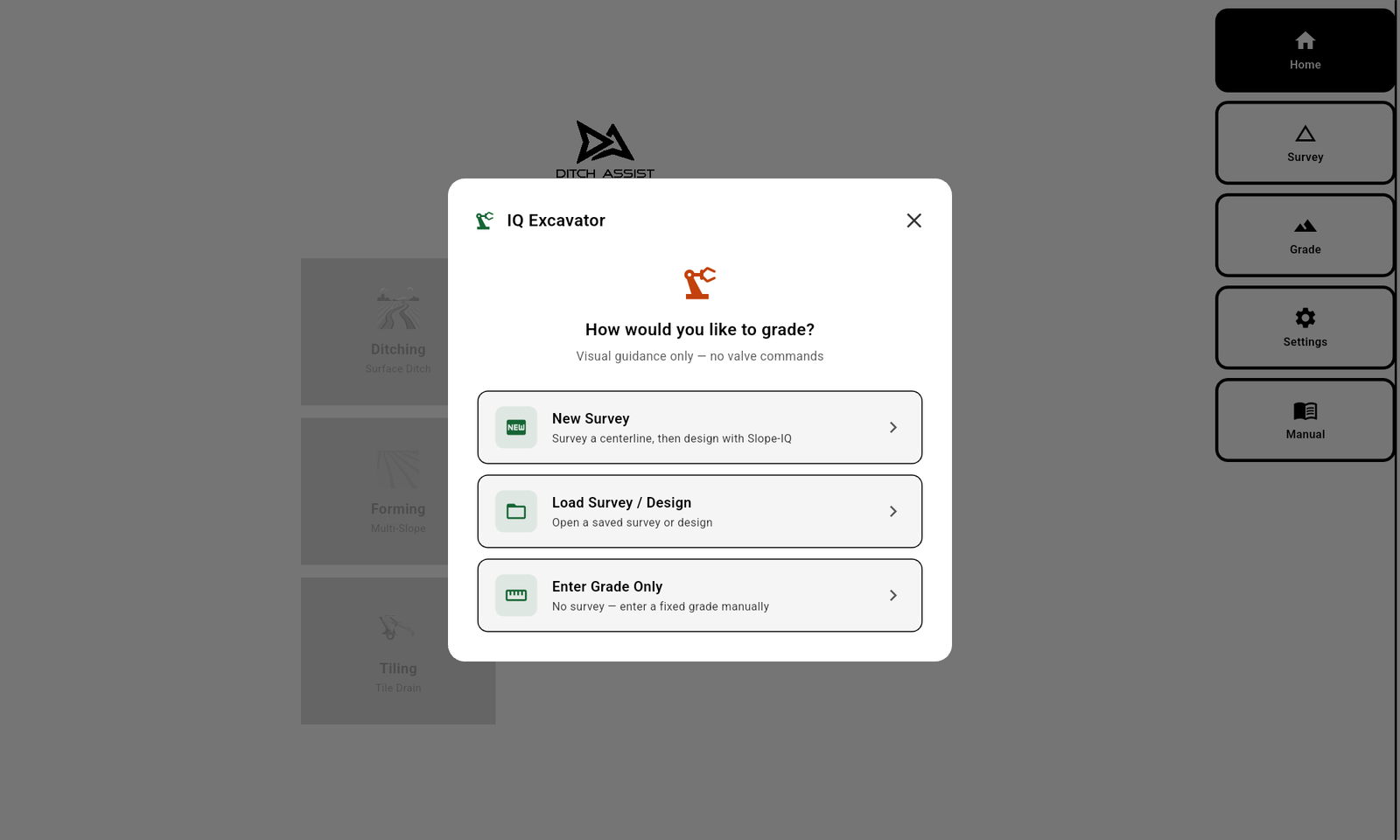
- Tap New Survey (or Load Survey/Design to use an existing route, or Enter Grade Only for a constant-slope dig — including 0% for a level pad).
- If new: drive (or walk with Bluetooth GPS) the planned trench centerline. Start, end-to-end, Stop, save.
- The Slope-IQ design dialog opens. Default mode is Best-Fit. Adjust Depth Offset, Min Grade, etc. The chart looks the same as Ditching except the achieved-grade overlay is enabled and there's no Est. Passes badge.
- Tap Implement Slope. The grade screen opens in Excavator mode.
- Calibrate the BM if prompted.
- Drive (or position) at the start of the trench. Lower the bucket to the surface. Tap Start.
- On first tap in a manual-grade Excavator flow (Enter Grade Only, no 0+00 reference yet), a Ready to Start? dialog appears showing your target grade and direction, with the prompt Lower the blade to where you want grading to begin. Lower the bucket to the desired starting position while the dialog is open, then tap START. The app locks your current GPS position as the 0+00 reference and begins depth guidance. Slope-IQ design flows skip this dialog and go straight to the Pre-Start safety check. A subsequent Stop → Start within the same job skips the dialog and resumes against the existing 0+00.
- Dig the trench. Watch the chevrons and the side gauge.

Digging a level pad (0% grade)
If you're using the excavator to scoop out a flat pad (footing for a slab, equipment pad, a culvert headwall floor), tap Enter Grade Only. The Grade screen opens with the inline Set Grade bar at the bottom of the map — type 0 in the Target Grade % field (zero is accepted), optionally a Depth Offset, and tap the green Set Grade button. Position the bucket where you want the pad surface, tap Start, and confirm in the Ready to Start? dialog — that confirm captures the reference; there is no "Zero to current GPS" or typed-elevation step in this flow. Then dig down until the chevrons center across the pad. (For level-pad jobs, Dig Level Area is often the better fit — see that page.)
Did this answer your question?
Thanks. That tells us which pages to improve.
Still stuck? Talk to a product specialist. 1-833-DITCH-AS · support@ditchassist.com · Monday to Friday, 8 a.m.–5 p.m. Central.
Calling about a problem? Send your app logs first so support can see what happened.